

How to Verify Car Part Compatibility Before You Buy
Last Updated: November 4, 2026
Quick Summary
To verify car part compatibility, start with your vehicle details rather than the part: pull your 17-character VIN and decode positions 4-8 and 10 for engine, body style, and model year. Then cross-check the OEM part number against a second source and confirm connectors, mounting holes, and dimensions before you buy.
- Find year, make, model, trim, and engine size on the door jamb sticker, registration, and under-hood emissions label.
- Year, make, and model matching alone can fail because the same badge ships with different engines and wiring.
- Search parts sites by vehicle and read the fitment note, which often lists excluded trims or engines.
- Use an interchange list as a lead, then confirm with a VIN lookup or a physical check.
- Before installing, compare part number, connectors, pin count, mounting holes, and dimensions to the old part.
Table of Contents
- Start With Your Vehicle Details, Not the Part
- How to Verify Car Part Compatibility by VIN
- How to Verify Car Part Compatibility Online
- OEM Part Number Lookup and Aftermarket Cross-Referencing
- Using a Year Model Interchange List Without Getting Burned
- Physical and Specification Checks Before Installation
- When Fitment Results Conflict: A Decision Path
- Shop Automotive Essentials With Fitment Confidence
- Frequently Asked Questions
Start With Your Vehicle Details, Not the Part
Verifying car part compatibility starts with your vehicle, not the part you want to buy. The National Highway Traffic Safety Administration notes that safety-related parts are often built for specific vehicle configurations, which is why the details matter before you spend a dollar.
Shoppers often find a part they like, then try to make it fit. That order is backwards.
Part compatibility means a part matches your vehicle's year, make, model, trim, engine, and build details. Get one wrong and the part may not bolt on, plug in, or work at all.
Below, we'll show you exactly how to check each detail in the right order.
Where to Find Year, Make, Model, Trim, and Engine Size
The fastest place to find your vehicle details is the driver's door jamb sticker. It lists the model year and often the trim and build date. Your registration and insurance card also list the year, make, and model.
Engine size takes a little more digging. Check the under-hood emissions label, or look up your VIN online. Trim names matter too: the same model year can ship with different brakes, sensors, and connectors depending on trim.
- Year: on the door jamb sticker and registration
- Make and model: on the registration and insurance card
- Trim: on the door jamb sticker or window sticker
- Engine size: on the emissions label under the hood
Why Year, Make, and Model Alone Can Fail You
Year, make, and model matching is a starting point, not a guarantee. Two cars with the same badge can leave the factory with different engines, transmissions, and wiring.
A common mistake is trusting a "fits my model" label on a listing. That label often skips trim and engine details. The part arrives, and the connector is wrong or the mounting holes don't line up.
How to Verify Car Part Compatibility by VIN
The vehicle identification number, or VIN, is the most reliable way to verify car part compatibility. A VIN is a 17-character code that identifies your exact vehicle, including how it was built. Parts databases can use the VIN to pull your vehicle's factory build details. Two identical-looking cars can have different VINs and different parts.
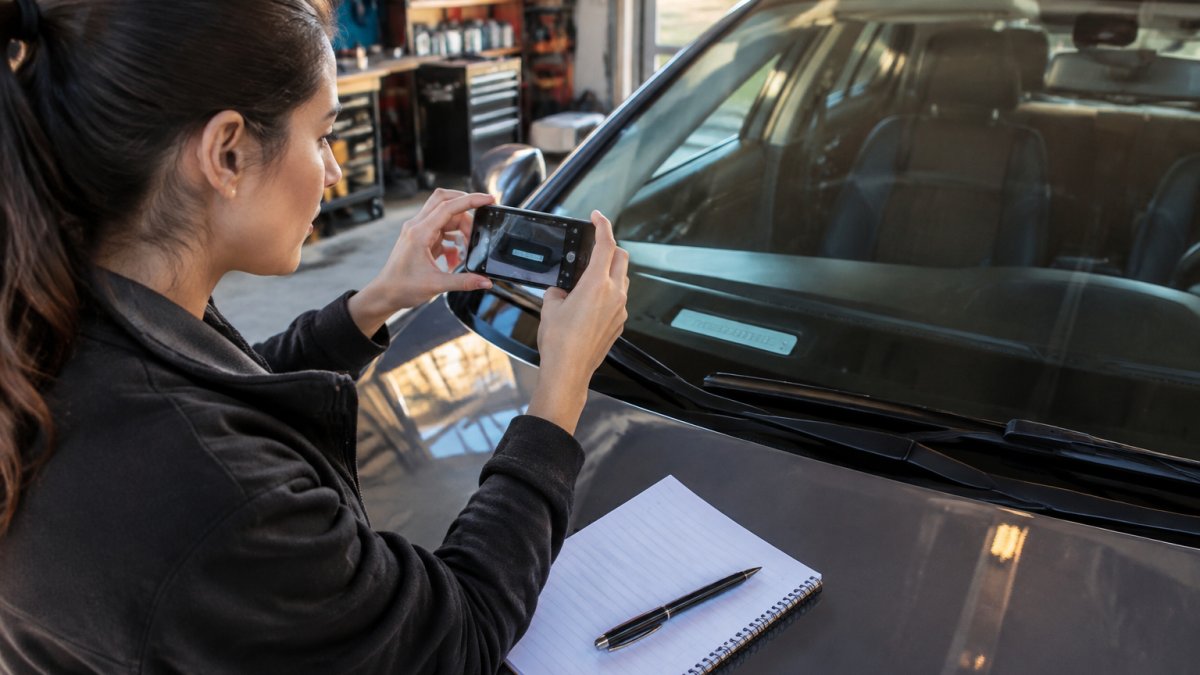
The woman is American.
How to Decode a VIN for Compatibility Checks
A VIN is not random. Each block of characters tells you something about the car, and you can read the key parts yourself. The positions that matter most for fitment are 4 through 8, because that block encodes the model, body style, engine, and restraint system, the details that decide whether a part bolts on and plugs in.
- Characters 1-3: the world manufacturer identifier
- Characters 4-8: model, body style, engine, and restraint system details
- Character 9: a check digit that validates the VIN
- Character 10: the model year
- Character 11: the assembly plant
- Characters 12-17: the production sequence number
The model year character is the one most shoppers get wrong. It uses a letter or number code, not the calendar year, so check a VIN year chart before you assume. The code cycles through letters and digits and skips characters that look like numbers, which is why a "B" in position 10 can mean a different model year than the badge on the trunk suggests. If you read position 10 as the calendar year, you can order a part for the wrong build.
Watch out: positions 4-8 are manufacturer-specific, so a generic online decoder can mislabel the engine or trim. Cross-check the decoded engine against the under-hood emissions label before you trust a fitment result.
What the VIN Tells You That the Badge Doesn't
The VIN resolves the details a year/make/model selector flattens. It distinguishes a base engine from an optional one, a two-wheel-drive build from an all-wheel-drive build, and an early-production car from a midyear change. When a listing says "fits 2019-2022," the VIN is what tells you whether your specific build is inside that range or outside it because of a running change.
A practical pattern: pull the VIN, decode positions 4-8 and 10, then compare that decoded engine and year against the listing's fitment note. If the note excludes your engine code or your production window, stop there. If it matches, move to the part-number cross-check in the next section.
How to Verify Car Part Compatibility Online
Online verification works best when you search by vehicle, not by part name. Most parts sites let you enter year, make, model, and trim, then filter results to your exact build.
Here is the order we recommend:
- Enter your VIN where the site allows it.
- If there's no VIN field, enter year, make, model, trim, and engine size.
- Use the site's fitment filter, not the general search bar.
- Read the fitment note on the listing. It often lists excluded trims or engines.
- Cross-check the part number against a second source.
Readers comparing compact inflators for occasional drivers can browse our roundup of 5 compact tire inflators for occasional drivers. If you're shopping for charging gear, our walkthrough on choosing a USB-C car charger for an older car shows the same step-by-step fitment check in action.
OEM Part Number Lookup and Aftermarket Cross-Referencing
OEM part number lookup is the bridge between the factory part and the aftermarket version. The OEM number is the automaker's own identifier for a part. Aftermarket makers publish cross-reference lists that map their numbers to OEM numbers.
Start with the OEM number from a dealer parts diagram or your VIN lookup. Then search that number plus the word "cross-reference." A reputable aftermarket listing will show which OEM numbers it replaces.
Watch out: a cross-reference match tells you the part is meant to replace the OEM part, not that every version is equal in quality. Cheap knockoffs often copy a number without meeting the same specs. Our guide on spotting cheap knockoffs when shopping online covers the red flags to check before you buy.
Using a Year Model Interchange List Without Getting Burned
A year model interchange list shows which vehicles can share a part across model years. These lists are useful for used and salvage parts, but they are not gospel.
Interchange lists are built from factory data, field reports, or both. Quality varies. A list may group vehicles that share a part number but differ in connectors, brackets, or calibration.
Use an interchange list as a lead, then confirm with a VIN lookup or a physical check. If two sources disagree, trust the one tied to your VIN.
Used-Part Interchange Risks and Condition
Used parts add a second layer of risk: condition. A part can be the right fit and still be worn out.
- Check the donor vehicle's VIN and mileage if the seller lists them.
- Ask for photos of the part number stamped on the part itself.
- Look for corrosion, cracks, or bent mounting points.
- Confirm the return policy before you pay.
Physical and Specification Checks Before Installation
Specification checks catch what databases miss. Before you install anything, compare the new part to the old one side by side.
Check the mounting holes, connector shape, pin count, and overall dimensions. Confirm the part number on the box matches the listing. If you're doing the job yourself, our guide on the best car maintenance tools for beginners covers the basics you'll want on hand.
Here is a quick pre-install checklist:
- Part number on the part matches the order
- Connectors and pin count match the old part
- Mounting holes line up
- Dimensions match within a few millimeters
- Included hardware matches what the job needs
When Fitment Results Conflict: A Decision Path
Conflicting fitment results are common, and they don't mean you're stuck. Work through them in order, from strongest evidence to weakest.
| Situation | What to Do | Why It Works |
|---|---|---|
| VIN lookup disagrees with a listing | Trust the VIN result | VIN data reflects your exact build |
| Two databases disagree | Check the OEM number directly | The OEM number is the factory source |
| Interchange list conflicts with specs | Measure the old part | Physical size beats a list |
| Seller can't confirm fitment | Ask for the stamped part number | The stamp proves what the part is |
| Still unsure | Call a dealer parts counter with your VIN | They can confirm the exact part |
The pattern is simple: the closer a source is to your actual vehicle, the more you should trust it.
Shop Automotive Essentials With Fitment Confidence
Checking fitment takes five minutes and saves a return, a wasted afternoon, and sometimes a damaged component. Once you know your VIN, trim, and engine size, the rest is a matter of matching sources in the right order.
That's where Blue Point comes in. Our curated selection of quality products puts tech accessories, household essentials, and automotive items in one place, so you can find what you need without bouncing between sites.
Browse our car care and accessories collection to shop parts and add-ons. Get started with Blue Point and shop with confidence, knowing what you order is built to fit.
Frequently Asked Questions
How do I check if a part is compatible with my car?
Start with the vehicle identification number, not the listing title. Decode the VIN to confirm year, make, model, trim, and engine, then match the part number on the box against the OEM part number lookup for your vehicle. Check the seller's fitment notes for exceptions such as different submodels. If the results conflict, measure the old part and compare connector, bolt pattern, and dimensions before ordering.
Does a part fit if the year, make, and model match?
Not always. Year, make, and model matching ignores trim levels, engine options, drivetrain, and mid-year production changes. Two cars with the same badge can use different brake calipers or alternators. Treat the basic match as a starting filter, then confirm with the VIN and the part number.
Where can I find a year model interchange list?
Interchange lists appear in salvage yard databases, manufacturer parts catalogs, and specialty forums for your model. Use them to see which donor vehicles share a part, then verify with the OEM part number. Lists vary in accuracy, so cross-check at least two sources. Confirm the donor vehicle's engine and trim match yours, since the same part name can cover different specifications across model years.
What details should I check before ordering a replacement part?
Confirm the VIN, engine size, trim, and drivetrain, then note the OEM part number from your old component. Compare specifications such as voltage, connector type, mounting holes, and dimensions. Read the return policy. For used parts, ask for the donor VIN and photos of the part number stamp. Save the listing and part number so you can resolve any mismatch quickly.
